
ARPPU
Average Revenue Per Paying User — total revenue divided by paying users in the cohort.
ARPPU (Average Revenue Per Paying User) measures the average revenue generated from paying users in a cohort, including total revenue from subscriptions and non-renewing purchases.
ARPPU = Total revenue from paying users / Number of paying users
ARPPU isolates monetization quality: among users who do pay, how much do they pay on average? Use it to compare cohorts by which one converts users into more valuable customers (not just into more customers).
Find ARPPU under Analytics → Reports → Money in the sidebar.
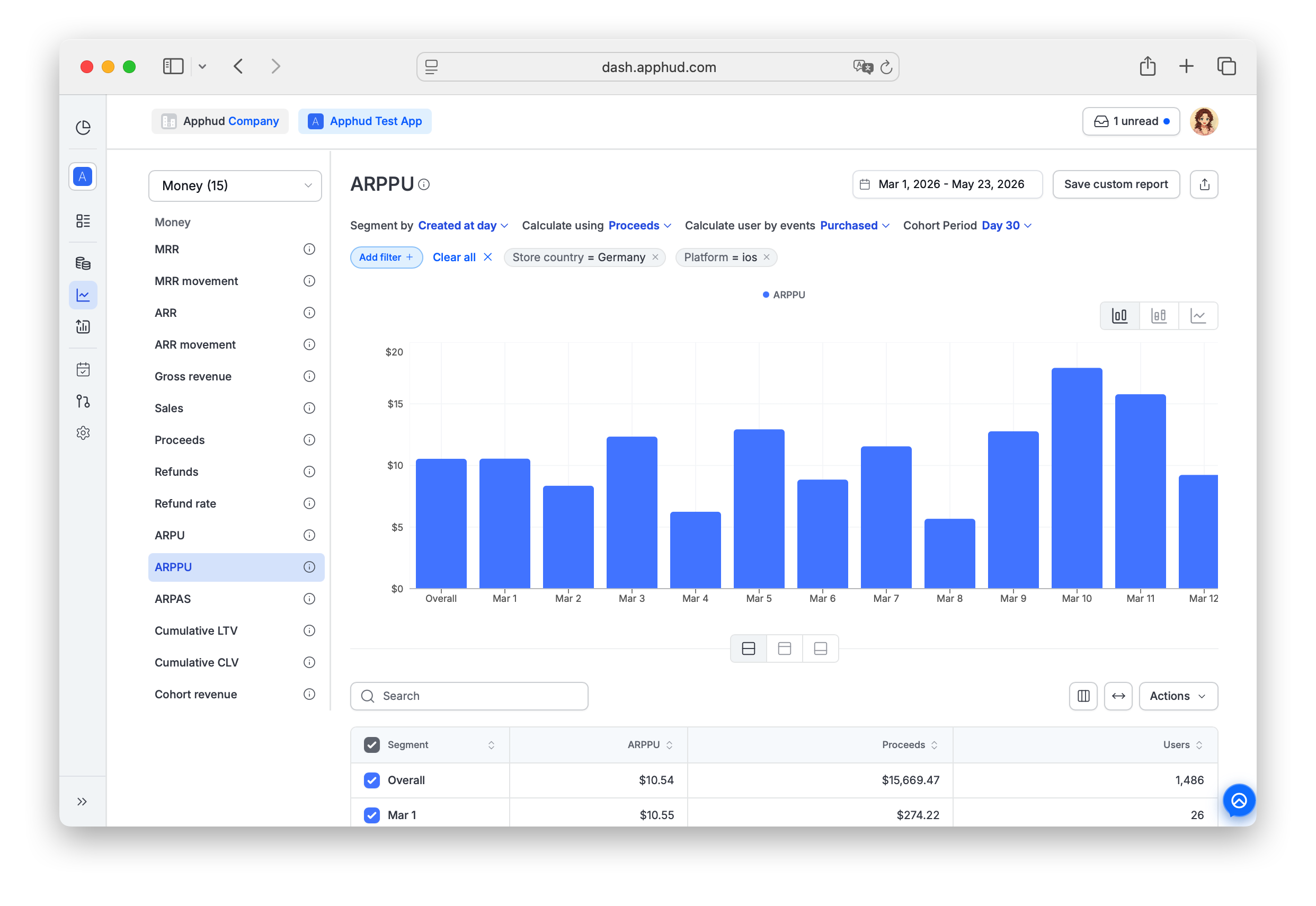
Chart-specific parameters
Calculate using
- Proceeds (default) — revenue after refunds, store commissions, and VAT.
- Sales — revenue after refunds, before commissions and VAT.
See Proceeds and Sales for the metric definitions.
Cohort Period
Default: Max (no limit). Available options:
| Option | What it counts |
|---|---|
| Day 3 | Revenue through day 3 of each user's life. |
| Day 7 | Revenue through day 7. |
| Day 30 | Revenue through day 30. |
| Day 180 | Revenue through day 180. |
| Day 365 | Revenue through day 365. |
| Enter a value | Opens a popup where you type a custom number of days. |
- Day 0 = the first 24 hours after install.
- Day 1 = the next 24 hours, and so on.
Limits how far into a user's lifetime is counted. Useful for payback analysis — for instance, if "ARPPU by Day 7 is $2" means each paying user brought $2 by their 8th day.
Calculate users by events
Defines who counts as a "paying user" in the denominator:
- Purchase (default) — every user with at least one paid purchase in the cohort. ARPPU = Total revenue / Purchasers.
- Trial Converted — only users who started a trial and converted to paid. ARPPU = Total revenue / Trial converters.
Example with Purchase: 10 paying users generated $10 → ARPPU = $1.
Example with Trial Converted: 50 trial starters of whom 10 converted to paid, generating $10 → ARPPU = $1 per converted user.
Reading the table
Below the chart, the results table shows the calculated ARPPU and the underlying components for each row:
- ARPPU — average revenue per paying user for the selected cohort period.
- Proceeds or Sales — the cohort's total revenue within the selected Cohort Period, matching your Calculate using setting.
- Users — the number of paying users in the cohort (the denominator), per Calculate users by events.
Supported filters and segments
ARPPU supports all standard segments and filters documented in Reports → Filters and segments — including Product, Paywall, and Base plan (unlike ARPU).
Filter-only (not available as Segment by):
- Permission group — segment support is planned, currently filter only.
- Screen
- Experiment variations
FAQ
What's the difference between ARPU, ARPPU, and ARPAS?
The denominator changes:
- ARPU — all users (installs).
- ARPPU — paying users only.
- ARPAS — any subscribers, including free-trial users.
Use ARPU for marketing ROI; ARPPU for the value of paying users; ARPAS to include trial users in the denominator.
Why is ARPPU usually higher than ARPU?
Because the denominator is smaller — ARPPU divides revenue by only the paying users, while ARPU divides it by every install (most of whom never pay). ARPPU = ARPU × (1 / Pay rate).
Why might ARPPU increase even though revenue is flat?
If fewer users are paying but the ones who do pay are spending the same, the denominator shrinks → ARPPU rises. This isn't always good news: check ARPU and conversion rate to see whether overall economics improved or the paying pool just thinned out.
Should I use Purchase or Trial Converted in "Calculate users by events"?
- Purchase — when you want to see average revenue across all paying users (including those who never had a trial).
- Trial Converted — when you want to isolate trial-to-paid quality. Useful for evaluating onboarding funnels and paywall placements that lead with a free trial.
Does ARPPU include non-renewing purchases?
Yes. ARPPU (and Cumulative LTV / Cumulative CLV computed on ARPPU) sums all paid transactions — subscriptions, intro / promo offers, and non-renewing purchases. The denominator is users with at least one paid transaction in the cohort.
Updated 23 days ago