
ARPAS
Average Revenue Per Any Subscriber — total revenue divided by all subscribers (paying + free-trial) in the cohort.
ARPAS (Average Revenue Per Any Subscriber) measures the average revenue generated from any subscribers — both paying users and free-trial users — including total revenue from subscriptions and non-renewing purchases.
ARPAS = Total revenue / (Paying users + Free-trial users)
ARPAS sits between ARPU and ARPPU: broader than ARPPU (which excludes trial users from the denominator), narrower than ARPU (which counts everyone including non-engagers). Use it to evaluate revenue across the engaged-subscriber pool.
Find ARPAS under Analytics → Reports → Money in the sidebar.
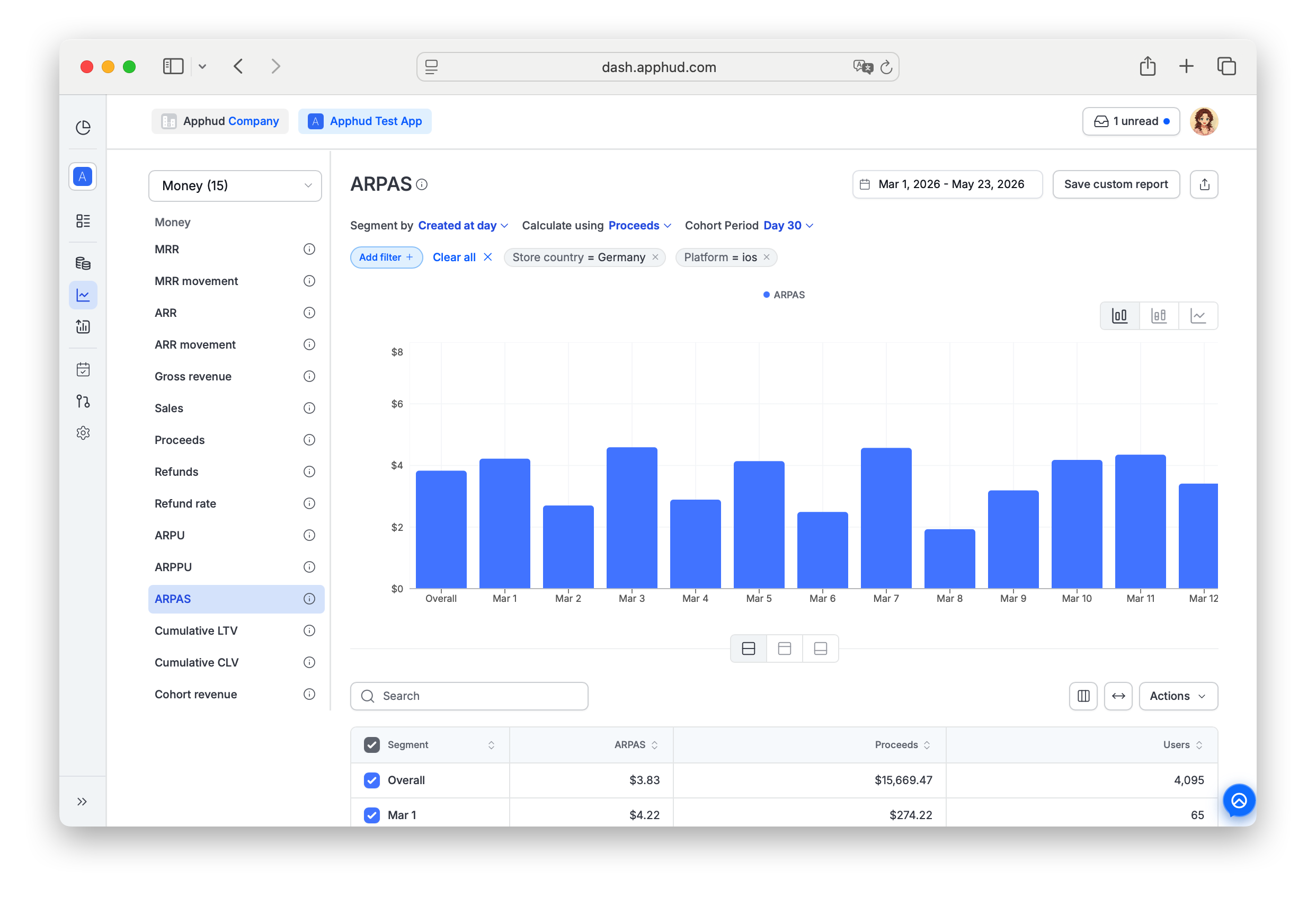
Chart-specific parameters
Calculate using
- Proceeds (default) — revenue after refunds, store commissions, and VAT.
- Sales — revenue after refunds, before commissions and VAT.
Cohort Period
Default: Max (no limit). Available options:
| Option | What it counts |
|---|---|
| Day 3 | Revenue through day 3 of each user's life. |
| Day 7 | Revenue through day 7. |
| Day 30 | Revenue through day 30. |
| Day 180 | Revenue through day 180. |
| Day 365 | Revenue through day 365. |
| Enter a value | Opens a popup where you type a custom number of days. |
- Day 0 = the first 24 hours after install.
- Day 1 = the next 24 hours, and so on.
Limits how far into a user's lifetime is counted. Useful for "ARPAS by Day N" payback analysis — for instance, if ARPAS by Day 3 is $0.10, the average subscriber brought $0.10 by their 4th day.
Example calculation
200 new users installed in the cohort. 80 of them (including free-trial users) generated $160 in total by Day 7:
ARPAS = $160 / 80 = $2 per subscriber
On average, each subscriber brought $2 by the end of their 7th day.
Reading the table
Below the chart, the results table shows the calculated ARPAS and the underlying components for each row:
- ARPAS — average revenue per subscriber for the selected cohort period.
- Proceeds or Sales — the cohort's total revenue within the selected Cohort Period, matching your Calculate using setting.
- Users — the number of subscribers in the cohort (the denominator).
Supported filters and segments
ARPAS supports all standard segments and filters documented in Reports → Filters and segments — including Product, Paywall, and Base plan.
Filter-only (not available as Segment by):
- Permission group — segment support is planned, currently filter only.
- Screen
- Experiment variations
FAQ
What's the difference between ARPU, ARPPU, and ARPAS?
The denominator changes:
- ARPU — all users (installs).
- ARPPU — paying users only.
- ARPAS — any subscribers: paying users + free-trial users.
Usually: ARPU < ARPAS < ARPPU.
When should I use ARPAS instead of ARPPU?
Use ARPAS when you want to count trial users as part of the value pool — for example, to evaluate trial-heavy paywalls or to track how much revenue trial cohorts produce on average. Use ARPPU when you want to isolate paid users only and exclude trial dilution.
Why is ARPAS lower than ARPPU?
Because ARPAS's denominator is larger — it adds free-trial users (many of whom contribute $0) to the paying-user pool, dragging the average down.
Why might ARPAS rise while trial-to-paid conversion drops?
If revenue per paying user grows fast enough to offset the trial-conversion drag, the overall average can still go up. Watch ARPPU alongside ARPAS: if ARPPU is rising but conversion is falling, you're monetizing the survivors better at the cost of losing more along the way.
Updated about 1 month ago