
Proceeds
Estimated revenue you keep after deducting store commission, refunds, and VAT.
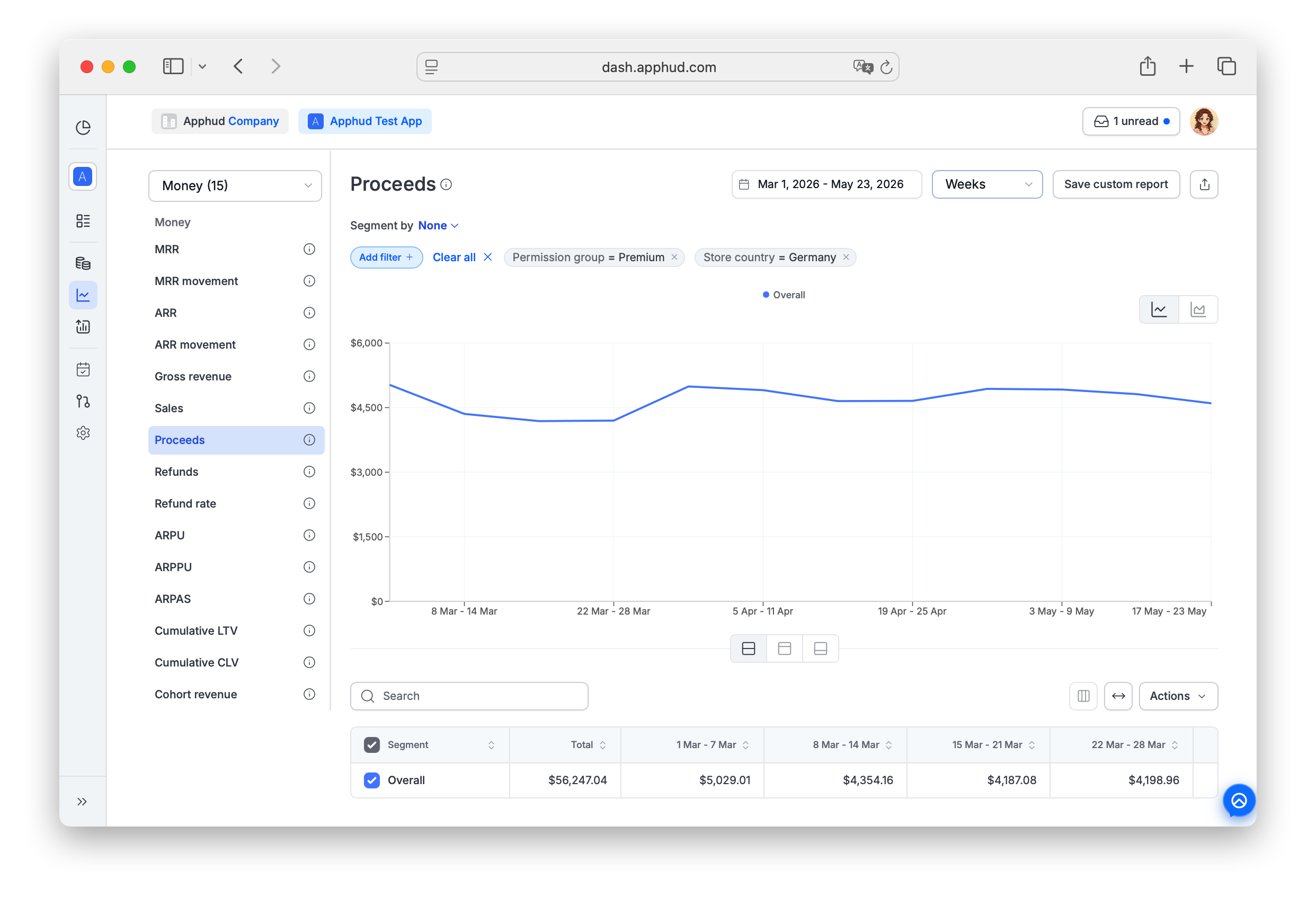
Proceeds is a non-cohort chart that indicates the estimated revenue you actually receive after deducting store commission, refunds, and VAT. See About Analytics for how Apphud calculates VAT and commission per store.
Find Proceeds under Analytics → Reports → Money in the sidebar.
What's included
Proceeds = Sales − Store commission − VAT.
It is the "net to developer" amount and the basis for most other revenue metrics in Apphud:
- MRR, ARR, ARPU, ARPPU, LTV, CLV, and Cohort Revenue all calculate on Proceeds by default
- The Business Overview revenue widgets are typically built on Proceeds
For the version before commission/VAT deduction, see Sales. For the gross-billed version (before refunds too), see Gross revenue.
Gross revenue ≥ Sales ≥ Proceeds
Revenue Type segment
Proceeds supports a chart-specific Revenue Type segment that splits the chart into three sub-series:
- New revenue — first-time purchases (initial subscriptions, intro offers, reactivations after expiration, non-renewing purchases)
- Renewals — recurring renewal charges on existing subscriptions
- Refunds — refunded amounts (negative)
Refund Revenue Type on ProceedsThe Refunds slice on this chart shows the net revenue you would have kept had the refund not occurred — i.e. already-net-of-commission-and-VAT, not the gross billed refund. To see the gross refund amounts, use the Refunds chart.
Why might historical proceeds change?
Revenue-related metrics — including Proceeds — can change for past periods in Apphud. Two causes:
Users can request refunds for past billing periods
Stores and web payment providers allow users to request refunds for past billing periods (often multiple months back). Refunds are applied retroactively — when a refund is approved for an old transaction, Proceeds is recalculated for the period that transaction belonged to.
Example: An Apple user requests refunds for the last quarter's monthly renewals via Apple Support. When Apple approves, Proceeds drops in each of those historical months.
Data migration not done
Apphud collects data from the SDK and Store Server Notifications. If you integrate the SDK into a live app with existing customers and don't run historical data migration, Apphud receives purchase data only when a user opens the app or when a server notification arrives.
When a previously-unknown user's purchase history reaches Apphud, those transactions are processed and historical periods can shift upward to reflect the newly-discovered revenue. On the user page in Apphud, such retroactively-discovered transactions are marked grey if they predate the User Created event.
Related references:
Supported filters and segments
Proceeds supports all standard segments and filters documented in Reports → Filters and segments, plus the Revenue Type segment described above.
Filter-only (not available as Segment by):
- Permission group — segment support is planned, currently filter only.
- Screen
- Experiment variations
NoteThe Install Time segment (First seen week / First seen month) is especially useful here — break the chart into install-cohort lines or stacks to see how each acquisition cohort's revenue evolves. See Reports → Install Time.
FAQ
Is the −15% Apple Small Business commission already reflected in Proceeds?
Yes — Apphud calculates Proceeds using the actual commission rate that applies to your app (15% or 30%). However, VAT is also deducted, and many customers confuse the combined effect with a 30% commission. In a typical European market with ~15% VAT plus 15% commission, you'd see roughly a 30% reduction from Gross revenue. See About Analytics for the full breakdown.
Why did my historical Proceeds change overnight?
Most likely a batch of refunds was processed (retroactively reducing prior periods) or new historical purchases arrived for users who launched the app recently.
What's the difference between Proceeds and what I see in App Store Connect?
App Store Connect uses its own currency conversion timing and timezone. Apphud converts to USD using the charge date. Minor drift is normal. For sustained large differences, check Data Discrepancies.
Does Proceeds include refunds for transactions outside the selected period?
Yes. Refunds are recorded in the period they're processed, not in the original transaction's period — but they also recalculate the original period's Proceeds. So a single refund affects two snapshots: the current period (where the refund event happens) and the historical period (which gets reduced).
Why is this chart non-cohort?
Proceeds is plotted on the transaction date, not the user's first-seen date.
What's the difference between Proceeds and Cohort Revenue?
Same underlying revenue, different anchor:
- Proceeds plots money on the transaction date — a renewal that happened today shows up on today's bar.
- Cohort Revenue plots that same money on the install date of the user who paid — that today-renewal moves to its user's install-date column.
Totals across a long window often match; bar-by-bar shapes don't. See Cohort Revenue.
Updated 24 days ago