
Gross Revenue
Total amount billed to customers — before refunds, taxes, or store commission.
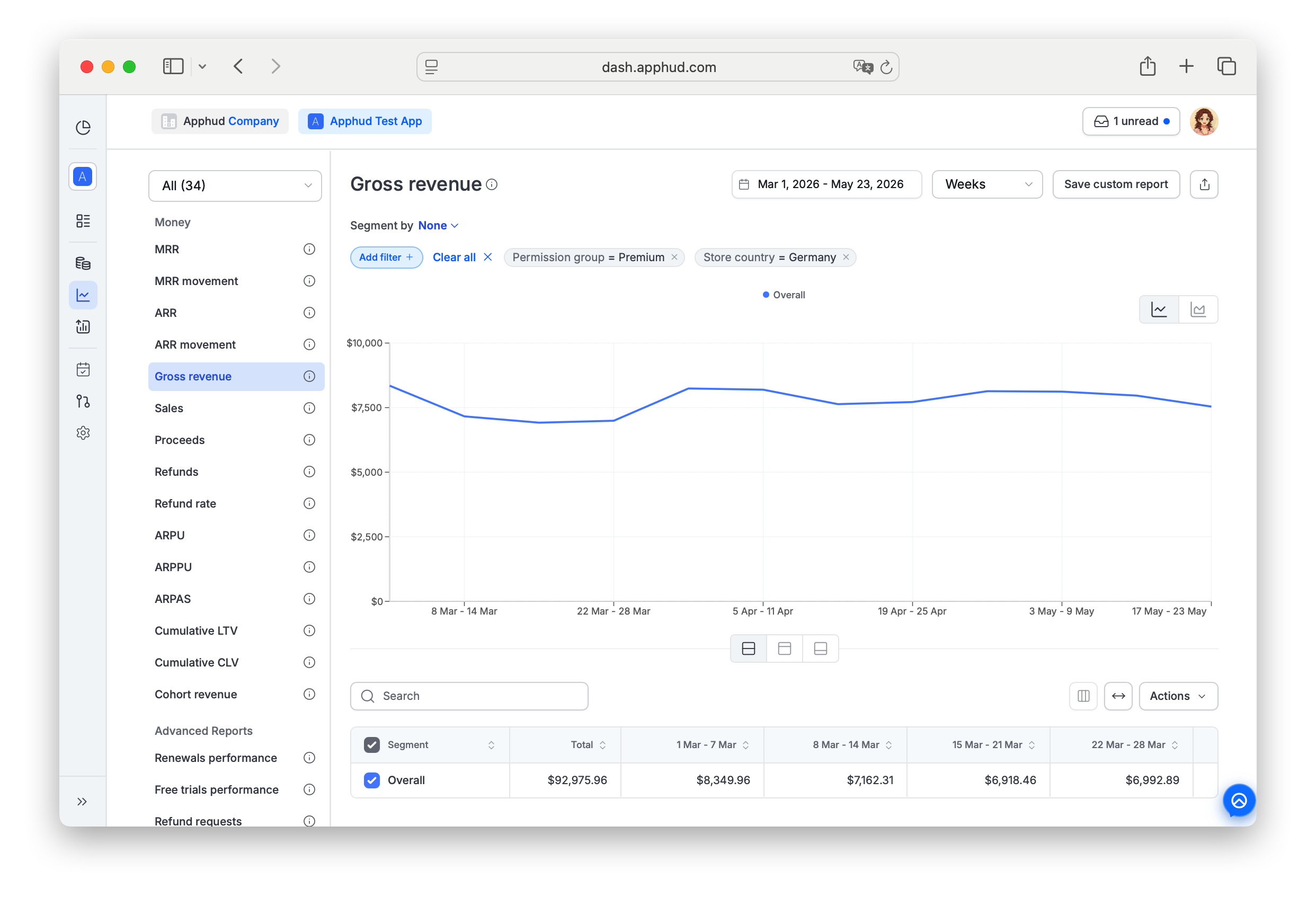
Gross revenue is a non-cohort chart indicating the total amount billed to customers for purchasing subscriptions and non-renewing purchases, before accounting for refunds, taxes, and app store commissions.
Find Gross revenue under Analytics → Reports → Money in the sidebar.
What's included
Gross revenue is the "top-line" billed amount:
- New subscription purchases and renewals
- Non-renewing purchases (consumables, non-consumables, lifetime unlocks)
It is not reduced by:
- Refunds (still counted as billed)
- Store commission (15% or 30%, not yet deducted)
- VAT (not yet deducted)
For the after-deductions versions, see Sales (after refunds) and Proceeds (after refunds + commission + VAT). The relationship is:
Gross revenue ≥ Sales ≥ Proceeds
Revenue Type segment
Gross revenue supports a chart-specific Revenue Type segment that splits the chart into three sub-series:
- New revenue — first-time purchases (initial subscriptions, intro offers, reactivations after expiration, non-renewing purchases)
- Renewals — recurring renewal charges on existing subscriptions
- Refunds — refund amounts
This is unique to revenue charts (Gross revenue, Sales, Proceeds). Use it to see which revenue stream is driving growth and how much is being lost to refunds.
Supported filters and segments
Gross revenue supports all standard segments and filters documented in Reports → Filters and segments, plus the Revenue Type segment described above.
Filter-only (not available as Segment by):
- Permission group — segment support is planned, currently filter only.
- Screen
- Experiment variations
NoteThe Install Time segment (First seen week / First seen month) is especially useful here — break the chart into install-cohort lines or stacks to see how each acquisition cohort's revenue evolves. See Reports → Install Time.
Learn moreHow to read revenue by install cohort on a calendar timeline: Calendar cohort revenue analysis.
FAQ
What's the difference between Gross revenue, Sales, and Proceeds?
| Metric | Includes refunds? | Includes commission? | Includes VAT? |
|---|---|---|---|
| Gross revenue | Yes (counted as billed) | Yes (not deducted) | Yes (not deducted) |
| Sales | Refunds deducted | Yes (not deducted) | Yes (not deducted) |
| Proceeds | Refunds deducted | Commission deducted | VAT deducted |
Use Gross revenue to see what users were charged. Use Proceeds to see what you actually receive. See About Analytics for the full VAT and commission rules.
Why does Gross revenue not match my App Store Connect totals?
App Store Connect groups by transaction date with its own currency conversion and timezone rules. Apphud uses the charge date and converts to USD. Small drift is normal; large differences usually indicate a missing integration or unprocessed historical data. See About Analytics on charge date.
Why is this chart non-cohort?
Gross revenue is plotted on the transaction date, not the user's first-seen date. A renewal on day 600 of a user's lifetime shows up on the day the charge occurred, not on the user's acquisition cohort.
Why did historical totals shift after the period closed?
Two main causes: late-arriving store server notifications (renewals, refunds), and refunds processed retroactively against earlier transactions. See About Analytics → Why can historical data in my charts change over time?.
Updated about 1 month ago