
Rule Templates
Browse all Apphud rule templates — Manual, Event-triggered, and Scheduled. Each template pre-fills a trigger, default push, and in-app action shape; the most common ones link to detailed guides with use cases.
Rule templates pre-fill a new Rule with a trigger, a default English push, and an in-app action shape. You can rename the rule, change triggers, edit the push, and swap audience after creation.
Open the Templates tab on the Rules page to browse them. Click any template card to open a Draft you can configure.
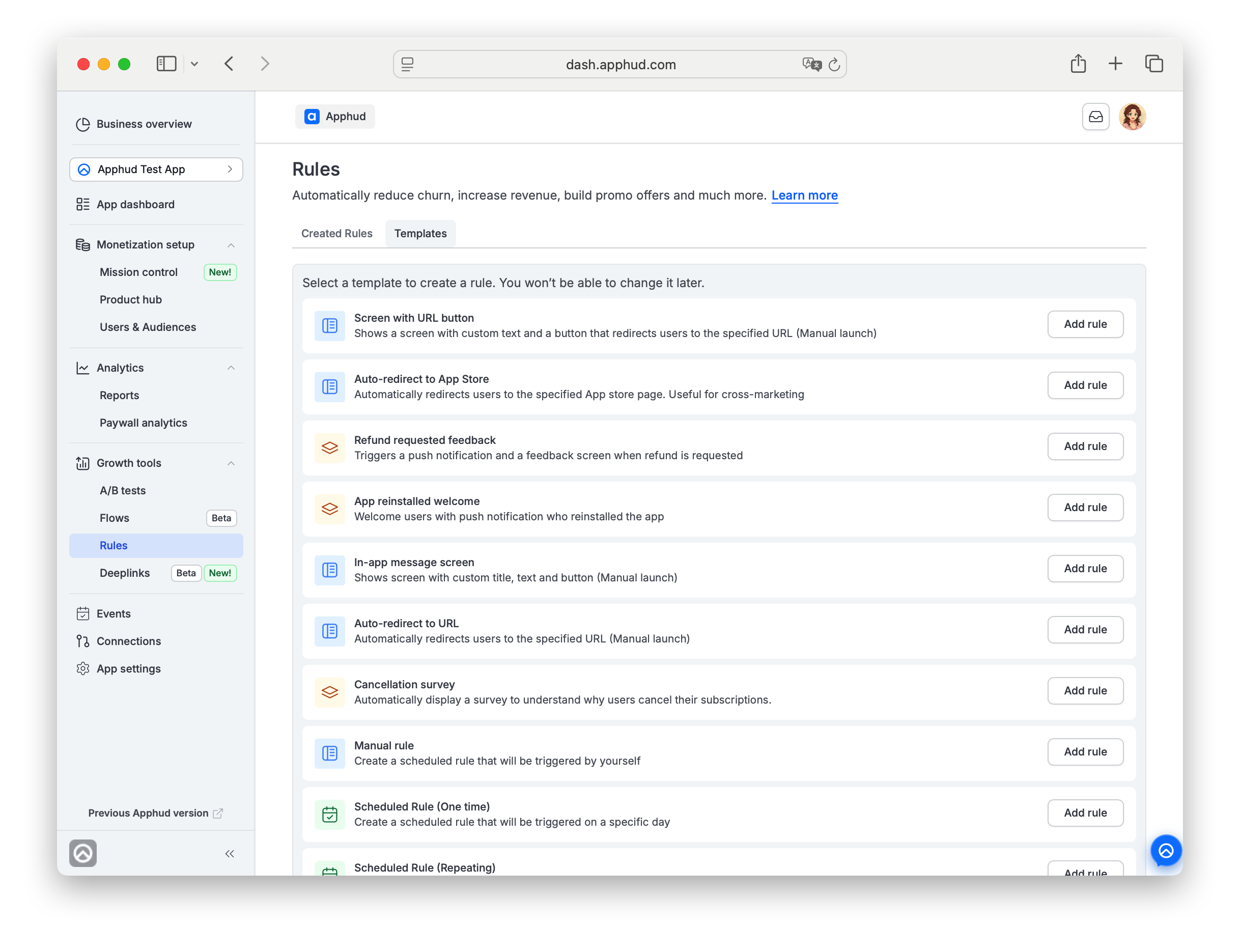
Manual templates
Fire only when you press Trigger now on the rule detail page.
| Template | What it does | Default push (English) |
|---|---|---|
| Manual rule | Generic blank Manual rule. Fully editable. | "Hello there! / We have an important update for you. Please take a look." |
| Auto-redirect to URL | When fired, opens the URL you set. No screen, no other action. | "We have an important update for you! / Please take a look." |
| Auto-redirect to App Store | When fired, redirects users to the App Store page you set. Useful for cross-marketing. | (no default — configure in the push tab) |
| Screen with URL button | Shows a screen with title, description, and an Open link button to your URL. | (no default — configure in the screen editor) |
| In-app message screen | Shows a custom in-app message. | "Hello there! / We have an important update for you. Please take a look." |
Event-triggered templates
Fire automatically when matching events occur for a user.
| Template | Trigger | Detailed guide |
|---|---|---|
| New subscriber welcome | trial_started, intro_started, subscription_started | — |
| Cancellation survey | trial_canceled, subscription_canceled | Get Cancellation Insights |
| Get cancellation feedbacks | trial_canceled, subscription_canceled | Get Cancellation Insights |
| Win back lost subscribers | trial_canceled, subscription_canceled | Win Back Lost Subscribers |
| Billing issue notification | billing_issue | Reduce Involuntary Churn |
| Refund requested feedback | refund_requested | — |
| App reinstalled welcome | app_reinstalled | — |
Scheduled templates
Fire on date / time. Schedule configured in the rule's Configuration tab.
| Template | What it does |
|---|---|
| Scheduled Rule (One time) | Sends a push at a specific date and time. |
| Scheduled Rule (Repeating) | Sends a push on selected days of the week at a specific time. |
When to pick a template
- Use a template when its trigger matches your need — it saves time on setting up triggers and the default push.
- Use Manual rule (under Manual templates) when none of the event-triggered templates fit and you want to fire the rule yourself.
- Use a Scheduled template for time-based campaigns (announcements, daily reminders).
For the mechanics shared across every rule — Configuration tabs, lifecycle, Test, Archive, push notification per locale, in-app action types — see Rules.
Updated about 3 hours ago