
Active Users
Daily, weekly, or monthly active users — counted as unique device sessions over the selected period.
Active Users is a non-cohort chart that shows the number of unique device sessions within the selected date range. Use the View by period to switch between Daily Active Users (DAU), Weekly Active Users (WAU), and Monthly Active Users (MAU).
Find Active Users under Analytics → Reports → Users in the sidebar, next to New users.
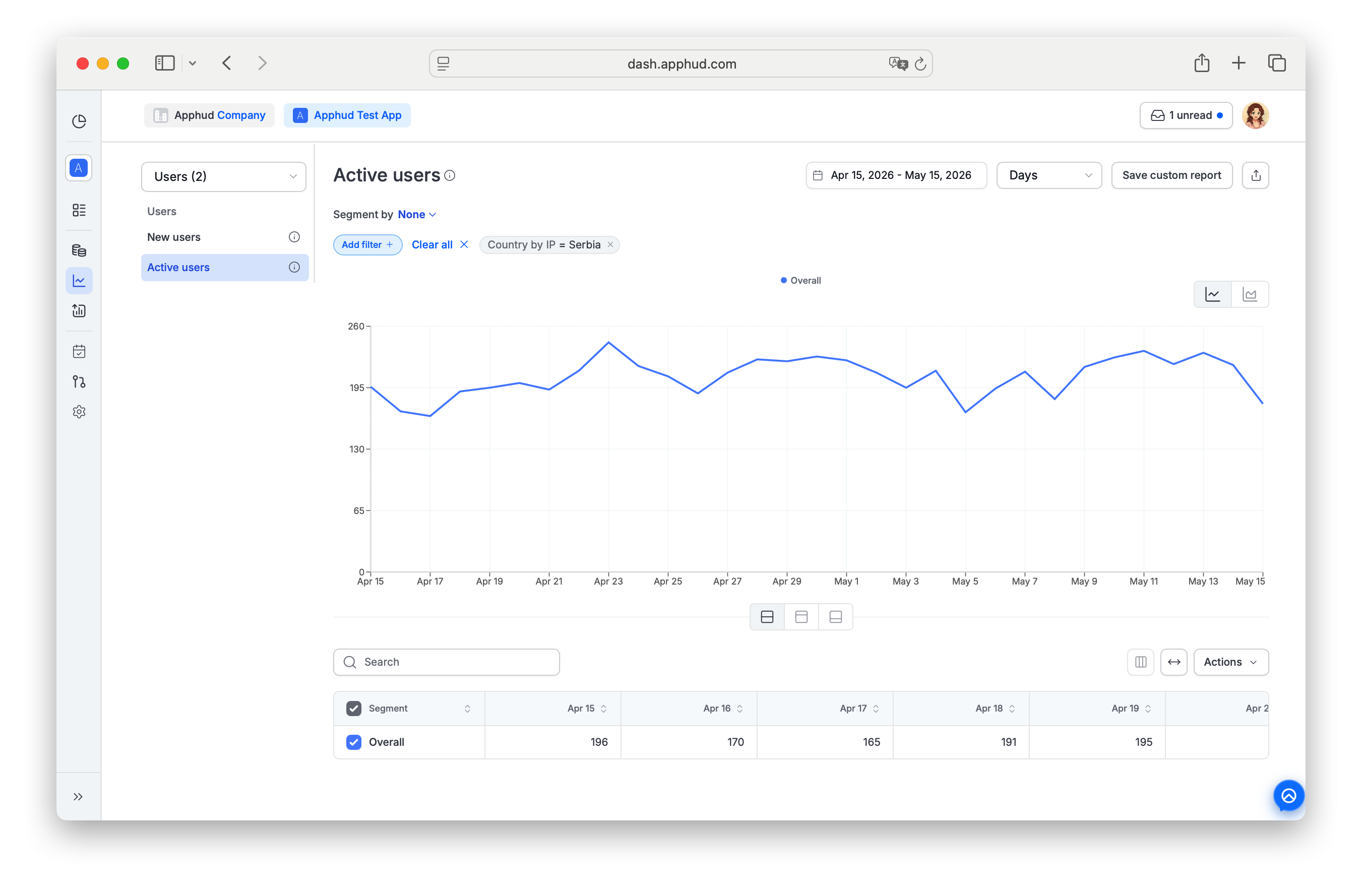
What Active Users counts
Active Users counts unique device sessions per period bucket. The bucket size is set by View by:
| View by | Counts as | What the value represents |
|---|---|---|
| Day | DAU | Unique device sessions within each day |
| Week | WAU | Unique device sessions within each week |
| Month | MAU | Unique device sessions within each month |
A user with multiple sessions inside one bucket is counted once for that bucket. A user active in two different buckets is counted in each.
Non-cohort behavior
Active Users is a non-cohort chart. Every bucket is computed independently from the pool of users active in that bucket — there's no fixed cohort followed over time. Compare with Subscribers retention or Revenue retention, which group users by their first-seen date and track that cohort across renewals.
The cohort axis controls (First Seen Date / First Open Date) used on retention charts don't apply here.
Segment by
The Active Users chart supports one chart-specific dimension on top of the standard ones documented in Reports → Segment by:
- Premium Status — splits the chart into series by each user's current premium-access state at the time of the session.
For the full list of standard dimensions (Country, Platform, Attribution, Custom user properties, etc.), see Common controls.
Add filter
Active Users supports one chart-specific filter parameter on top of the standard ones documented in Common controls → Filters:
- Premium Status — scope the chart to users with a specific premium state.
For operator behavior (=, ≠, multi-select, chips, etc.), see Common controls → Filters.
FAQ
Are Active Users and New users the same thing?
No.
- New users counts how many users first appeared in your app during the period — each user counted once, on their first-seen date.
- Active Users counts how many device sessions happened in the period, deduplicated to one count per user per bucket. A returning user who first appeared months ago is counted in today's DAU if they have a session today.
Why does monthly Active Users not equal the sum of the 4 weekly counts in the same month?
Each bucket is computed independently. A user with sessions in two different weeks of the same month is counted once in MAU but twice across the two WAU buckets (once in each week). MAU ≤ sum of WAU in the same month, almost always.
Why does the chart say it's non-cohort?
Cohort charts (e.g., Subscribers retention) group users by their first-seen date and follow that fixed group over time. Active Users is a per-bucket snapshot — it doesn't track users by their entry cohort, it just asks "who was active in this bucket?".
Can I filter Active Users by Premium Status?
Yes. Click Add filter + and pick Premium Status. You can also segment by Premium Status to see the chart split into series for each state.
Does Active Users include sandbox users?
No. Apphud displays only production data in Charts. See About Analytics for the production-data rule across all charts.
Updated about 1 month ago