
Notifications
What Apphud notifies you about, where you'll see it, and which events also reach you by email.
Apphud keeps you in the loop about things that need your attention — a teammate invitation, an app issue to fix, a billing problem — and shares the occasional product update. Here's what we'll let you know about, and where you'll see it.
Where you'll see notifications
- The bell, top-right — your notifications inbox. Everything we send lands here. Open it to read your notifications, act on them, or clear them all with Mark all as read.
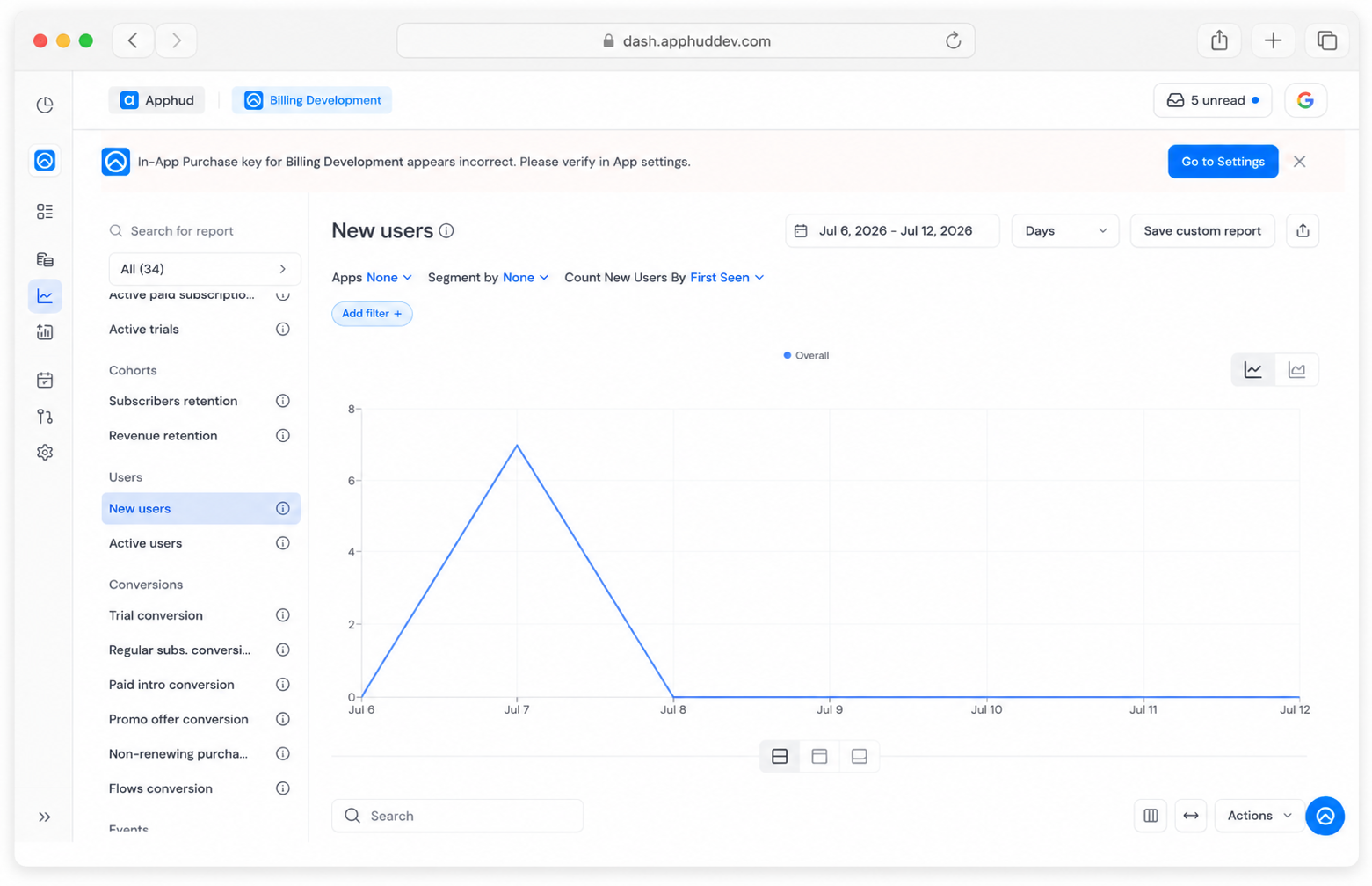
- A banner at the top of the page — for the important, don't-miss ones, like a billing problem or an app issue that needs fixing. These are flagged important or critical, and the banner stays until you deal with them.
Good to know
- Everything is in the inbox. The banner only surfaces the most pressing alert — the bell holds the full list, so it's worth opening even when there's no banner.
- Closing the banner (the X) just hides it for now. It doesn't mark the notification as read, so the item stays in your inbox and the banner can come back later. To clear it for good, open it and act on it — or fix what it's pointing to.
- More than one important alert? The banner shows them one at a time (the latest first); the rest wait for you in the inbox.
- Mark all as read marks your notifications read in one go.
Use Read all with cautionOnce you apply Mark all as read, even the critical notifications will be marked as read and won't be shown in your "Unread" folder - "Inbox is empty" message will be shown.
The notifications can be found in "All" folder.
What we'll notify you about
Your team & access
Someone invites you to an organization, your role or app permissions change, or a teammate joins or leaves.
App transfers
Someone asks to move an app to or from your organization. You can approve or decline it right from the notification.
Something needs fixing
An app or integration needs your attention — an incorrect or expired key, a failed integration, or a domain that didn't verify. These come with a link straight to the settings page where you can sort it out.
Billing
Your payment method has expired, or you're close to a plan limit — so nothing gets interrupted.
Product sync
Your products finished syncing, or a sync didn't go through.
News from Apphud
The occasional note from our team — a new feature, planned maintenance, or a service issue.
What we email you about
For a few important events, we email you as well as show the message in the dashboard:
- Team invitations
- App transfer requests and confirmations
- A failed integration or connection that's been automatically disabled
- Billing — approaching or exceeding a plan limit, or an account suspension
- Your personal referral offer
Everything else stays in the dashboard.
Talking to the Apphud team
Notifications are one-way — but you can always reach us, and sometimes we'll reach out to you (for example, to help you get set up or to flag something about your account).
- On premium plans, you get instant chat with the team right in the dashboard.
- On other plans, we're here by email.
Updated 26 days ago