
Days to conversion
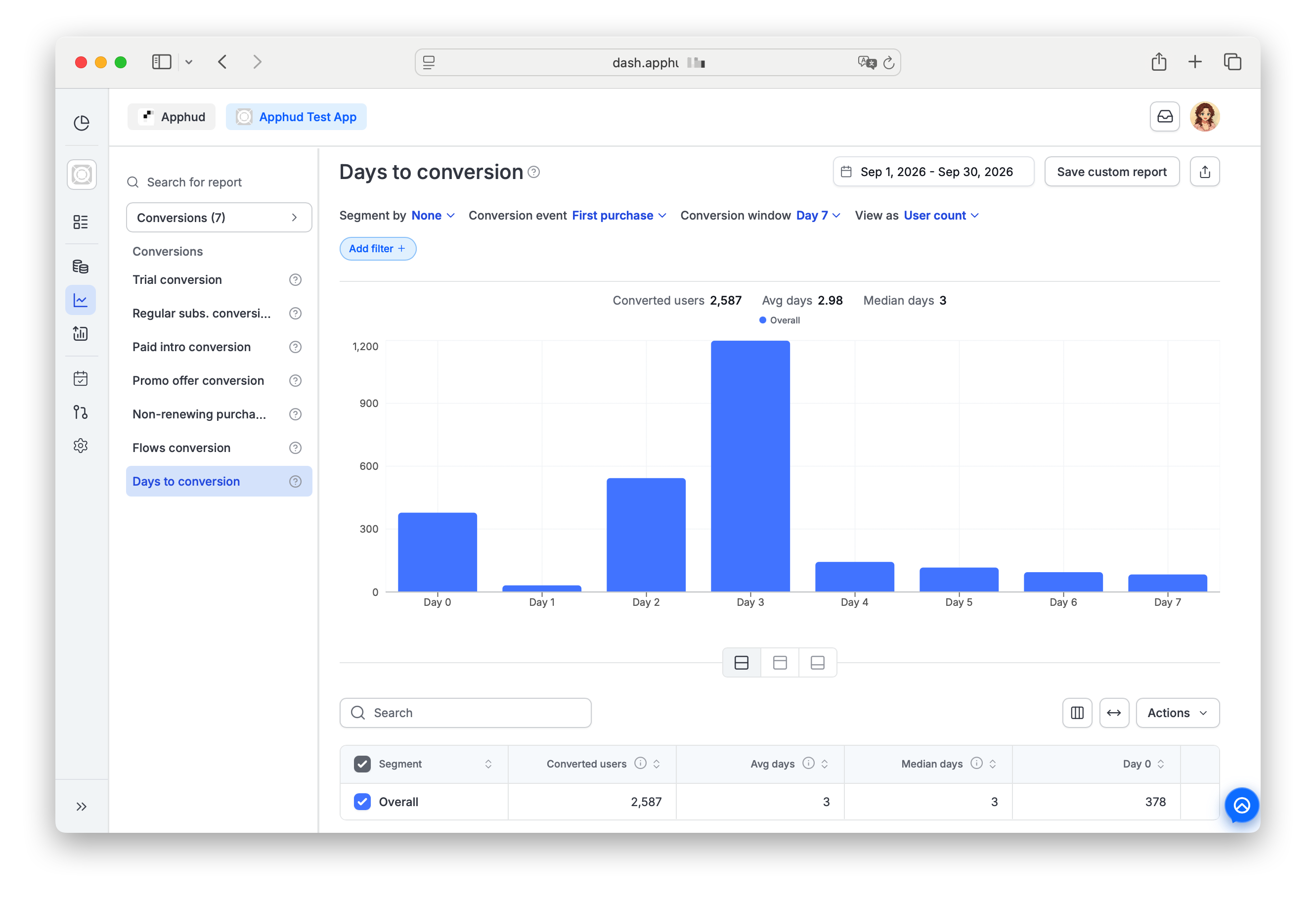
Distribution of how many days users take from install to their first purchase or trial start, within a chosen conversion window.
Days to Conversion shows how long users take to make their first purchase or start a trial after installing the app, as a distribution over days.
Use it to see when conversions happen: on the install day, within the first week, or later, and how long they keep coming in.
Find Days to Conversion under Analytics → Reports → Conversions in the sidebar.
How it works
Each user is measured from their install (First Seen date) to their first selected conversion event. The chart shows how many users converted on each day after install.
Day 0 is the first 24 hours after install. The chart shows only the buckets that fit the selected conversion window.
The day buckets are: Day 0 through Day 14 one by one, then Days 15-21, Days 22-30, Days 31-45, Days 46-60 and Days 61-90.
Each user is counted once, on the day of their earliest conversion event, regardless of how many purchases they make later. Users who later refunded their purchase are still counted as converted.
The selected date range filters users by their install date (First Seen), not by the date of the purchase. The report takes the users who installed in the selected range and counts their conversions within the conversion window after install. So a conversion can fall after the end of the range - such users won't be counted.
Metrics
- Converted users — users who converted within the conversion window. The percentages are shares of this number. In the percent views it stays a count.
- Avg days — the average time from install to conversion, in days.
- Median days — the median time from install to conversion, in days. Half of the converted users converted faster.
- Day 0, Day 1, …, Days 61-90 — users who converted in each bucket.
Avg days and Median days are shown with two decimals. Values below 0.01 days are shown as 0.
Supported filters and segments
Days to Conversion supports the standard filters and segments documented in Reports → Filters and segments, except time-based segments: the chart already shows time as days after install.
Parameters
Segment by
Splits the distribution by a segment. The default is None: the chart shows a single Overall row. With a segment selected, you get an Overall row and one row per segment value. Only one segment can be selected at a time.
Conversion event
- First purchase (default) — the first of: trial converted to paid, subscription started, paid intro started, or non-renewing purchase. Renewals are not counted. If a user has several of these, the earliest one counts, whatever its type.
- Trial started — the first trial start.
Conversion window
How many days after install a conversion can happen to be counted: Day 7, Day 14, Day 30 (default), Day 60 or Day 90. See Conversion window below.
View as
- User count (default) — the number of unique users on each day.
- % of converted — each day as a percentage of all converted users.
- Cumulative % — the running total of these percentages: the share of converted users who had converted by that day.
Conversion window
The window covers the install day and the following days up to the selected number. With Day 30, conversions on days 0 through 30 are counted.
Only users who have had the full conversion window are counted. A user who installed three days ago can only have converted within three days, so including recent installs would pull the distribution down.
Recent installs are left out until their window closes. The report shows a note with the date, for example: "Users who installed on or after Sep 20, 2026 are not counted yet: they have not had the full 30 days to convert." when applicable.
If no install in the selected dates has had the full window yet, the chart is empty and the note suggests dates that end early enough. Choose a shorter window or earlier dates.
Use CaseIs a 7-day or a 30-day attribution window the right one for your ads?
Look at where the conversions sit. If almost all of them land within the first week, a shorter window captures nearly the same conversions. To see recent installs sooner, choose Day 7 in Conversion window.
Examples
All examples use the date range January 1–31 and the First purchase event. Day N means N full 24-hour periods after the moment of install, not calendar days.
| User | What happened | Conversion Day | Day 30 window | Day 60 window | Day 90 window |
|---|---|---|---|---|---|
| Installed Jan 10, 23:00 | Bought on Jan 11, 01:00 (2 hours later) | Day 0 | Counted | Counted | Counted |
| Installed Jan 10 | Started a trial on Jan 10, trial converted on Jan 13 | Day 3 | Counted | Counted | Counted |
| Installed Jan 5 | Non-renewing purchase on Jan 7, subscription on Jan 20 | Day 2 (the earliest purchase) | Counted | Counted | Counted |
| Installed Jan 31 | Bought on Feb 20, after the end of the range | Day 20 | Counted | Counted | Counted |
| Installed Jan 1 | Bought on Feb 2 | Day 32 | Not counted | Counted | Counted |
| Installed Jan 10 | Bought on Mar 15 | Day 64 | Not counted | Not counted | Counted |
| Installed Dec 28 | Bought on Jan 3. The install is outside the range | — | Not counted | Not counted | Not counted |
| Installed Jan 5 | Did not buy anything | — | Not counted | Not counted | Not counted |
With the Trial started event, the third user is counted on Day 0, the day the trial started.
FAQ
Why are my latest installs missing?
Users who installed less than the selected Conversion window ago have not had the full time to convert, so they are not counted yet. They appear automatically once their window closes. Choose a shorter window to include them sooner.
Why do Avg days and Median days differ?
A few users who convert late raise the average, while the median stays at the middle of the distribution. When the average is much higher than the median, most users convert early and a smaller group converts later.
What if a user made several different purchases?
Only the earliest conversion event counts, whatever its type. For example, a non-renewing purchase on Day 2 and a subscription on Day 5 count as Day 2. Later purchases and renewals do not change the result.
Updated about 15 hours ago